
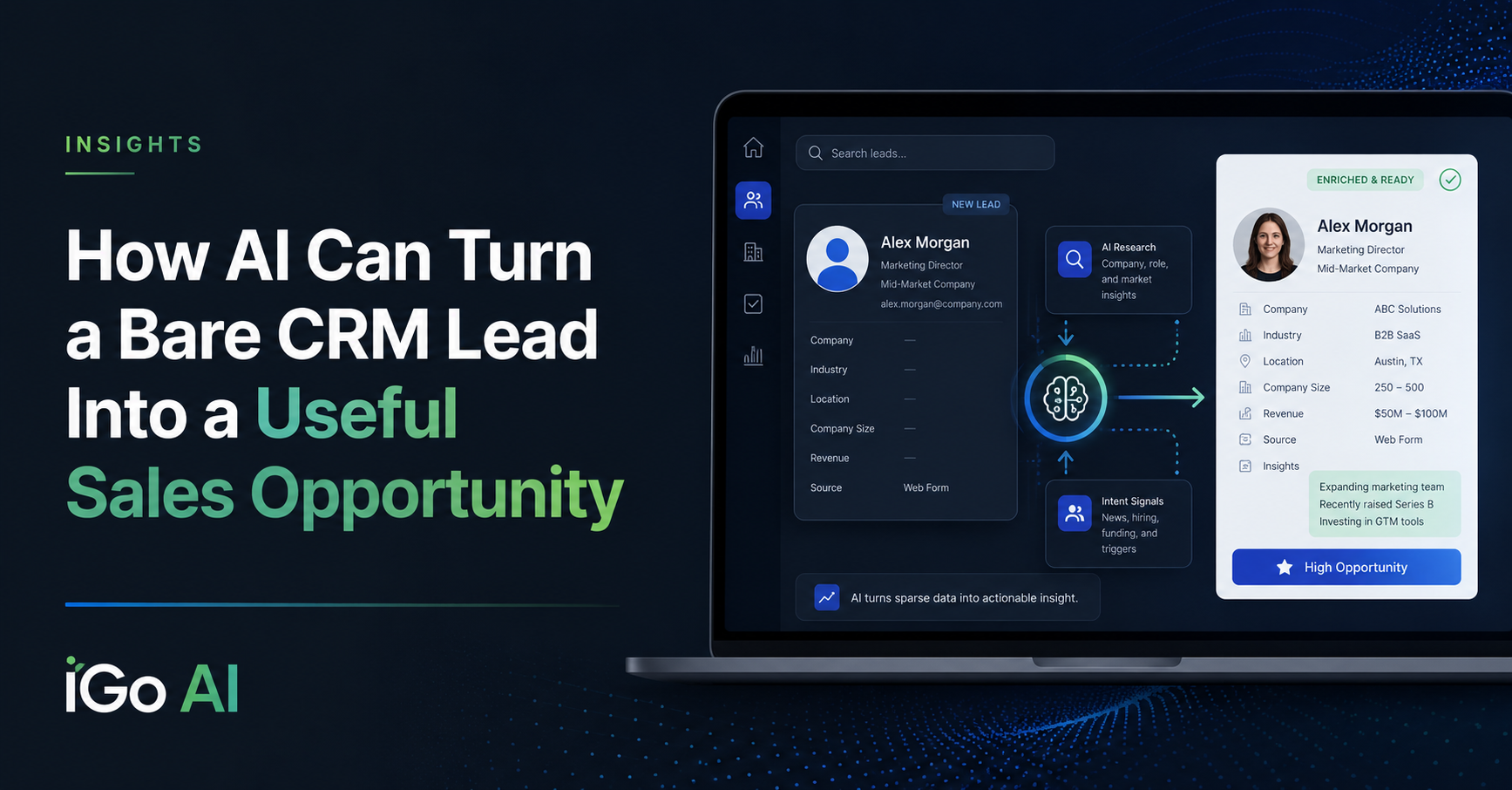
A new lead comes into your CRM.
You have a name.
Maybe a company.
Maybe an email address and phone number.
And then somebody has to figure out the rest.
Who is this person? What does the company do? What is their role? Is this even a good prospect? Has anything important happened at the company recently? And, perhaps most importantly, how should the salesperson approach the first conversation?
That research can take five minutes. Sometimes fifteen. Sometimes it simply does not get done at all.
This is a good example of where AI can create very practical value inside an existing sales process.
The Problem Isn’t the CRM
Most CRMs are very good at storing information.
The problem is that the information often isn’t there yet.
A salesperson receives a new lead and has to leave the CRM, search the company, look up the person, browse the website, read a few search results, figure out what appears relevant, and then mentally assemble that information into some kind of call strategy.
That is useful work.
But it is also repetitive.
And much of it can now be assisted by AI.
The idea is simple:
Instead of giving the salesperson a bare lead record, give them a prepared lead record.
Think of it as having a research assistant create a quick dossier before the salesperson picks up the phone.
What Could the CRM Prepare Automatically?
For a new lead, an AI-assisted research workflow could potentially provide things such as:
- company background
- what the company sells
- industry and market information
- the person’s likely role in the organization
- recent company news
- relevant products or services
- potential business issues
- qualification observations
- suggested positioning
- ideas for the introductory conversation
The exact information depends on the business and the sales process.
A company selling industrial equipment would want different research than a software company, logistics provider, consultant, or professional-services firm.
That is an important point.
The value is not simply in asking AI to:
Research this company.
The value comes from designing the research around what the salesperson actually needs to know to make a better decision or have a better conversation.
A Simple AI-Enriched CRM Workflow
I recently built a proof-of-concept workflow to demonstrate how this can work.
The CRM already contains the lead and the basic information available about that person.
When the salesperson requests an AI summary, the CRM sends the relevant lead information into an automation workflow.
That workflow then:
1. Receives the lead information
The salesperson does not need to copy and paste information into another tool. The existing CRM record triggers the process.
2. Researches the lead and company
The workflow can use web search and other available information sources to gather context about the individual and organization.
3. Sends the information to an AI model
The AI is given instructions about what to investigate and how to structure the result.
That might include company background, the person’s role, recent developments, qualification considerations, and suggestions for positioning the initial sales conversation.
4. Returns the research to the CRM
A few seconds later, the lead record contains the AI-generated summary.
The salesperson stays in the system they already use.
That last part matters.
n8n workflow overview
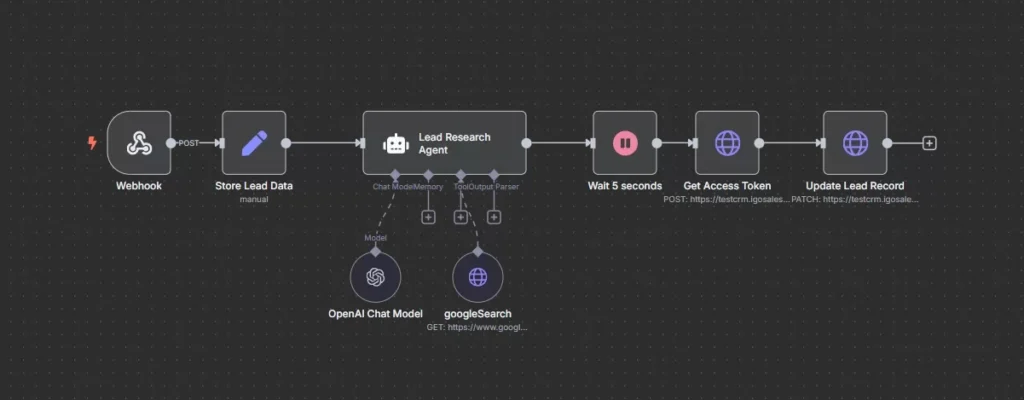
Example workflow connecting CRM lead data, research, AI analysis, and CRM update.
AI research summary returned to CRM
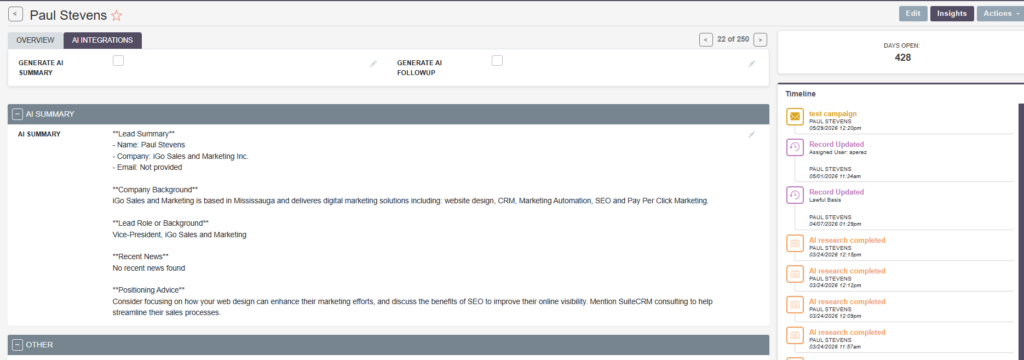
Example of the researched lead summary available directly inside the CRM record.
AI Is More Useful When It Becomes Part of the Workflow
There is a big difference between giving every salesperson access to an AI chatbot and actually integrating AI into the sales process.
With a standalone AI tool, the salesperson still has to:
- copy the lead information
- open the AI application
- explain what they want
- review the answer
- copy anything useful back into the CRM
That may save some research time, but it creates another process.
A better implementation brings the AI to the point where the work is already happening.
In this example:
Lead enters CRM → research happens → AI analyzes it → useful information returns to CRM → salesperson reviews it
The salesperson does not need to understand the underlying automation.
They simply receive a better lead record.
Pre-Qualification Is Where This Gets More Interesting
The first version of the workflow I built mainly produced a research summary and positioning advice.
But the same pattern can go considerably further.
The AI could be given information about the company’s ideal customer profile and asked to evaluate factors such as:
- company size
- industry
- geographic fit
- likely business need
- role of the contact
- relevant products or services
- signs of buying intent
- potential disqualifiers
Instead of simply researching every incoming lead, the system could help answer:
Is this lead worth a salesperson’s time?
That does not necessarily mean allowing AI to make the final qualification decision.
It could simply give the salesperson better information:
High potential fit. Company operates in your target market, appears to have the relevant operational requirements, and the contact is in an appropriate decision-making role.
Or:
Low apparent fit. Company is outside the target geography and appears significantly below the normal customer size.
The human still decides.
The AI reduces the research burden.
The AI Could Also Help Position the Conversation
Qualification is only one part of the opportunity.
Once the system understands both the prospect and your own business, it can begin looking for connections between them.
For example:
Which of our products is most relevant to this company?
What business issue should we probably lead with?
What should the salesperson know before making contact?
Are there recent developments at the company that could create a useful opening?
This is much closer to having a junior marketing or sales-research assistant preparing each account than simply having a chatbot generate generic sales copy.
And because the output is written back into the CRM, the information can become part of the account history instead of disappearing inside an individual salesperson’s AI conversation.
This Doesn’t Have to Be SuiteCRM
My original proof of concept used SuiteCRM and n8n because those were the systems I was working with.
But the underlying idea is much broader.
The basic pattern is:
Business system → automation → research/data → AI reasoning → business system
The CRM could be SuiteCRM, Salesforce, HubSpot, Dynamics, or another system with suitable integration capabilities.
The automation layer could also vary.
The AI model could vary.
The important part is designing the workflow around the business problem rather than becoming attached to a specific technology stack.
Start With the Sales Process
It is tempting to look at a tool like AI and ask:
What can we automate?
I think the better question is:
Where is the salesperson spending time on repetitive work that does not require their experience?
Researching a company from scratch every time a lead arrives is a good example.
The salesperson still needs to make the call.
They still need to listen.
They still need to understand the prospect.
They still need judgment.
But there is no reason they should necessarily begin every conversation with a blank screen and ten minutes of Google searches.
That is the kind of process where AI can help.
Automate the routine. Give the salesperson better information. Keep the judgment with the person.
See It in Action
In the accompanying video, I walk through the original proof-of-concept workflow and show how a new CRM lead can trigger automated research, AI analysis, and a completed lead summary directly inside the CRM.
AI Opportunity Assessment
Have a Sales Process Like This?
If your salespeople are repeatedly researching prospects, moving information between systems, preparing account summaries, or doing other repetitive work before they can actually sell, there may be an opportunity to improve the process with AI and automation.
You do not need to know which model, agent, or automation platform you need.
Start with the process.
